Remove device
This page is about removing a WattWächter from your WattWächter account — for example because you are selling it, passing it on or no longer want to use it via the cloud. Afterwards the device stops sending data to the cloud. It keeps working locally: web interface, REST API, MQTT and Modbus work as before.
Two options
You decide what happens to the data in the cloud:
| Option | What happens |
|---|---|
| Disconnect only | The device disappears from your account. Your history stays in the cloud; if you connect the device to your account again later, it is back. |
| Disconnect and delete cloud data | Also deletes this device's history in the cloud, and its name and address in the account. Cannot be undone. |
In both cases, readings, history, tariffs and settings stay on the device. To connect again, you need a new pairing token.
In the web interface
From firmware 1.3.0
Disconnecting with a choice of option is available in the web interface from firmware 1.3.0.
- Open the web interface and go to Settings → Cloud connection (directly:
http://wattwaechter-XXXXXXXXXXXX.local/settings.html#cloud). - Click Disconnect.
- Choose Disconnect only or Disconnect and delete cloud data.
- Confirm with Disconnect or Disconnect and delete.
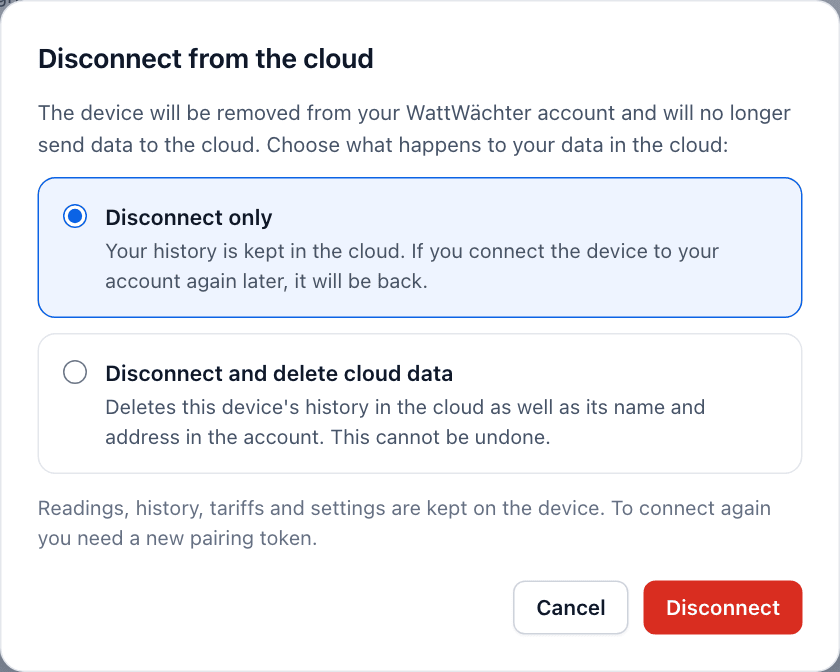
If you have switched on API authentication, the page asks for the WRITE token.
The device must be online
Cloud data can only be deleted while the device is connected to the cloud. If it is not connected at the moment, the option is greyed out. "Disconnect only" then only takes effect on the device — your account keeps listing it until you remove it in the app or the Cloud Portal.
More on the cloud connection in the web interface: Settings → Cloud connection.
In the app or the Cloud Portal
You can also unpair the device in the WattWächter app and in the Cloud Portal. The app offers the same two options as the web interface.
You need this route if the device is no longer online — for example because it has already been removed or reset.
Via the REST API
DELETE /api/v1/cloud/pair disconnects, DELETE /api/v1/cloud/pair?data=delete disconnects and deletes the cloud data. If the device is not connected to the cloud at that moment, it refuses to delete with 409 and the code cloud_offline. Both calls need the WRITE token if API authentication is switched on — see REST API.
Passing the device on
If you want to pass the device on or sell it:
- Remove it from your account as described above while it is online. If you no longer need the history in the cloud, choose Disconnect and delete cloud data.
- Then do a factory reset. It deletes the Wi-Fi credentials, settings, tariffs and history on the device — see What is deleted.