WattWächter USB
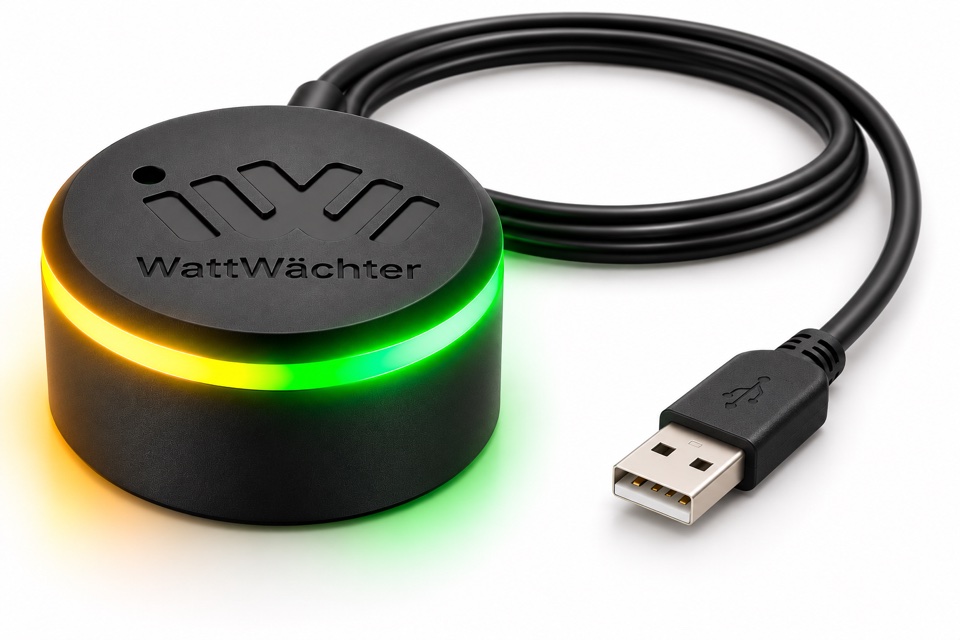
The WattWächter USB is an IR reading head with a USB connection. It reads your electricity meter via the optical interface and passes the data on unchanged to your computer as a serial port (COM port, /dev/ttyUSB…). It needs no Wi-Fi, no cloud and no setup on the device: attach it, plug it in and read it with the software of your choice.
Because the head does not evaluate anything itself, it is not tied to particular meter models. Which values you get depends on your software, see Supported meters.
Use cases
The WattWächter USB fits wherever a computer is within cable reach of the meter, such as a Raspberry Pi, a mini PC or a Home Assistant server in the meter room. It works with any software that reads a serial port:
- Home Assistant with the EDL21 integration
- Volkszähler with vzlogger
- ioBroker with the smartmeter adapter
- Python for your own scripts
- Meter manufacturers' software for reading and configuring meters
Computer not at the meter?
If the data should reach your home network via Wi-Fi, use the WattWächter Plus or the WattWächter Tasmota. A comparison of all devices is under Which device fits?
Features
- Standard-compliant optics to DIN EN 62056-21, for SML and D0 meters (IEC 62056-21)
- No driver installation on Linux, Windows 10/11 and macOS
- Unique serial number per device (CP2102N USB converter): several heads on one computer can always be told apart
- Pluggable USB-C cable: a damaged cable is replaced, not the device
- Ring magnet: mounting without tools and without touching the meter
- Two status LEDs in the light ring show receiving and sending
Status LEDs
| LED | Meaning |
|---|---|
| Green (right) | Data received from the meter (RX) |
| Yellow (left) | Data sent to the meter (TX) |
RX and TX refer to the optical interface to the meter. If the green LED flashes regularly (usually every 1–2 seconds), the head is positioned correctly and the meter is sending. The yellow LED only lights up when your software sends something to the meter, such as the request to a D0 meter.
Scope of delivery
- WattWächter USB reading head
- USB cable USB-C to USB-A, 1 m
- Quick guide
Also required:
- A computer with a free USB port within cable reach of the meter (Raspberry Pi, mini PC, Home Assistant server or similar)
- Software to read the data, e.g. Home Assistant, vzlogger, ioBroker or your own script
- A prepared electricity meter (PIN from your grid operator)
Technical data
| Property | Specification |
|---|---|
| Optical interface | IR to DIN EN 62056-21 |
| Protocols | SML, D0 / IEC 62056-21 (passed through transparently) |
| Baud rate | 300 to 30,000 baud |
| USB converter | Silicon Labs CP2102N, unique serial number |
| Connector on the device | USB-C |
| Power supply | 5 V DC via USB |
| Mounting | Ring magnet |
| Dimensions (D × H) | Ø 32.5 mm × 18.5 mm |
| Weight | 22 g (reading head without cable) |
| Operating temperature | 0 °C – 40 °C |
| Protection class | IP20, indoor use only |
| Conformity | CE, RoHS |
Download the product data sheet (German)
Next step
➜ Setup: attach the head, connect it and check that data arrives.