Mounting with the universal adapter (glued)
The universal adapter is glued onto the clear cover of the register with an adhesive pad — this works on nearly all gas meters for which there is no dedicated adapter. You just need the right variant of the WattWächter Gas: Magnetic Field (GW-MF) or Inductive (GW-ID) — see Which variant fits?
If your meter has a recess below the register, a pocket with a lug or a round mount below the window, the adapter is screwed on. You find the matching guide under Meter preparation.
What you need
- WattWächter Gas (Magnetic Field or Inductive)
- Universal adapter
- 3M adhesive pad
- a clean cloth
The universal adapter and the 3M adhesive pad come with the WattWächter Gas. You do not need any tools. You do not need to open anything on the meter, the seals stay untouched.
Guide for printing
The same steps are available as an illustrated guide without text for printing: Mounting guide as PDF.
Step by step
-
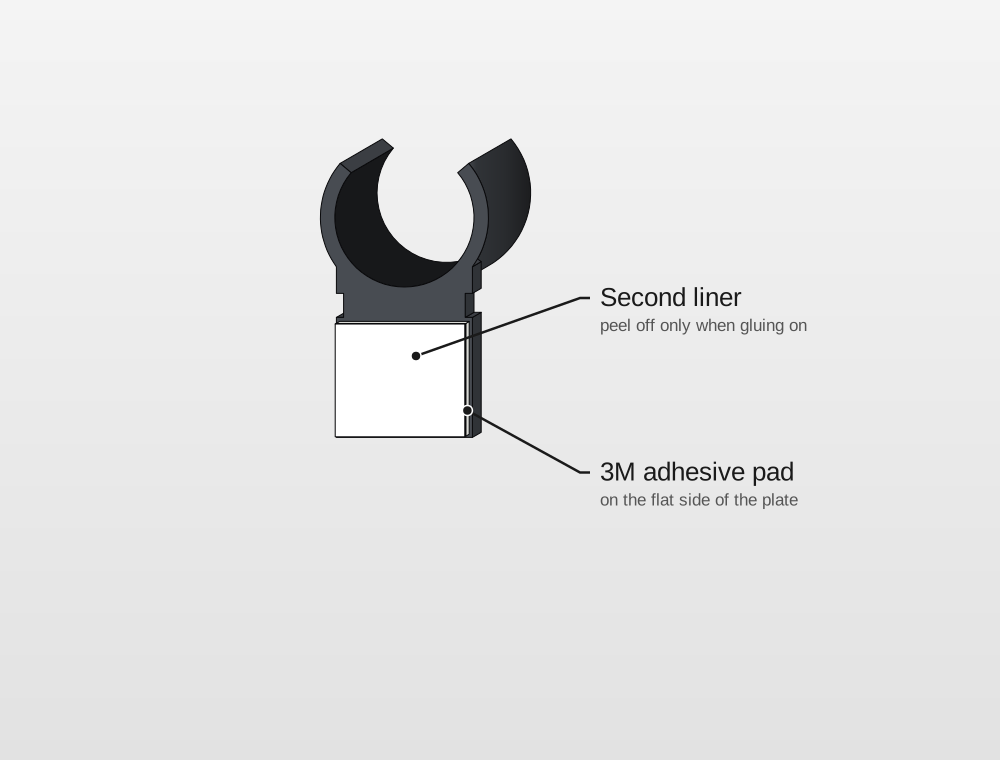
Stick the pad onto the adapter. Peel the liner off one side of the adhesive pad and stick the pad onto the flat side of the plate — the side where ring and plate are flush. The pad fits exactly. Leave the second liner on for now.
-
Clean the spot. Wipe the clear cover of the register once with a clean cloth where the adapter will go. It must be dry and free of dust and grease, otherwise the pad will not hold.
-
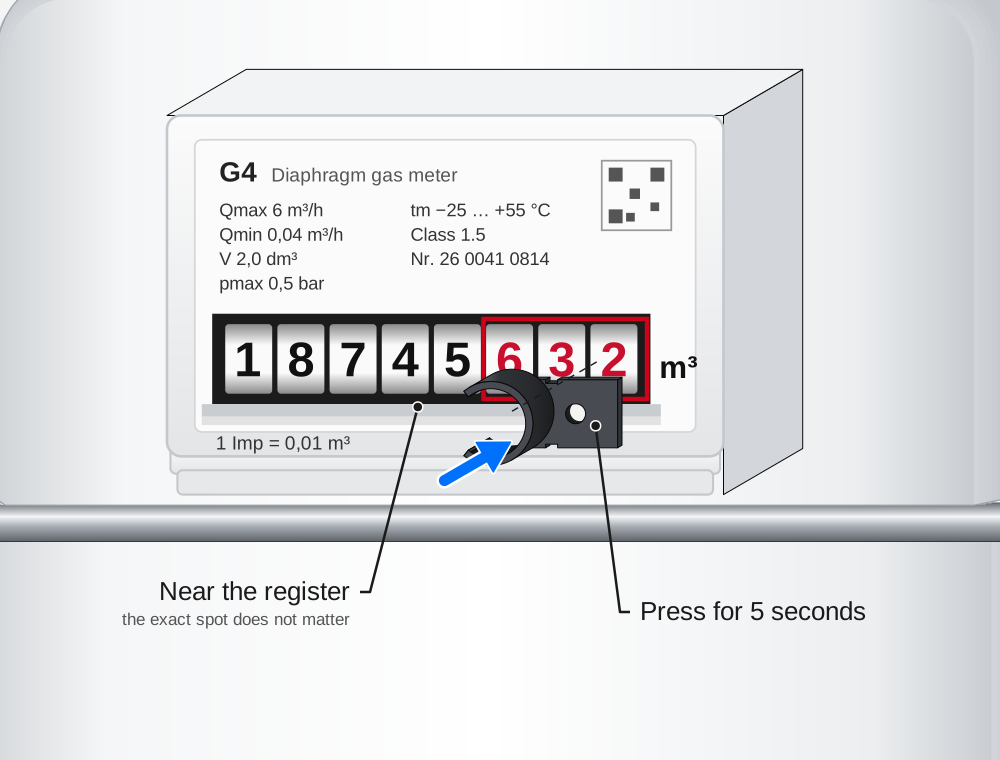
Glue the adapter on. Peel off the second liner, put the adapter onto the cover with its flat side and press it firmly for 5 seconds. The ring points to the front.
- Magnetic Field: the exact spot does not matter — anywhere near the register will do. Ideally glue the adapter next to the number rolls so they stay visible.
- Inductive: the sensor has to sit exactly over the Cyble target — the disc with the metal marker in the register. Place the adapter so that the ring is centred over it.
Keep the digits visible if you can
Covered digits do not bother the WattWächter. Your grid operator still has to be able to read the meter, though, and does not like the sensor covering the digits. With the Magnetic Field you can avoid that; with the Inductive the position of the Cyble target decides where the adapter goes.
-
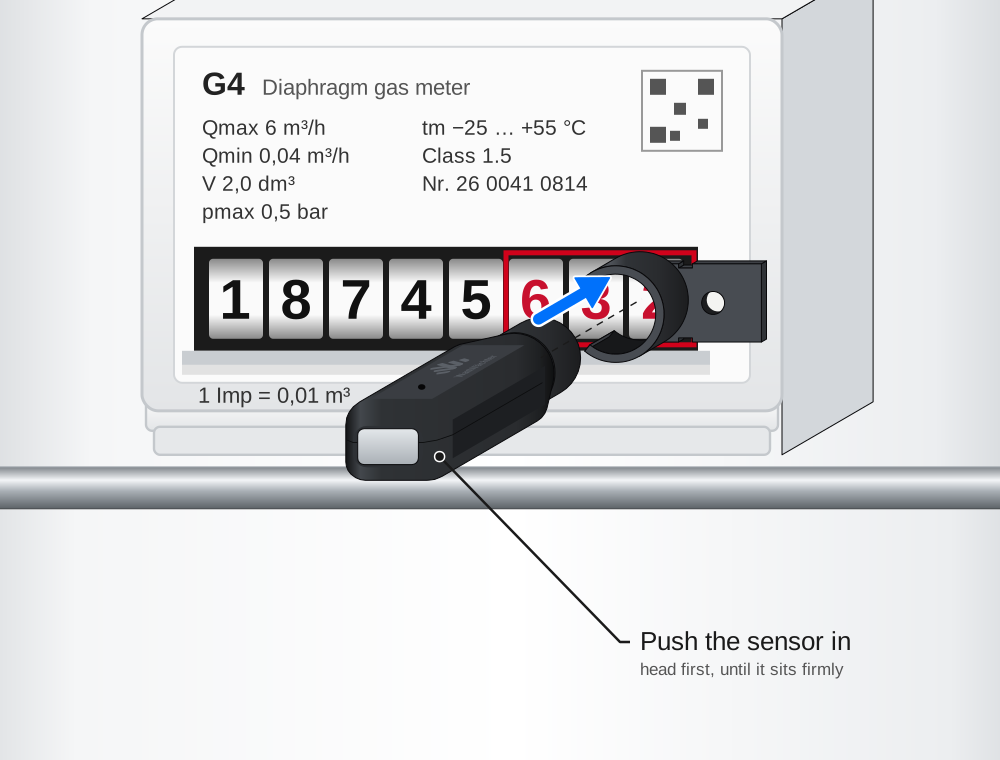
Push the sensor in. Push the sensor, sensor head first, into the ring until it sits firmly. It then sticks out straight from the meter.
-
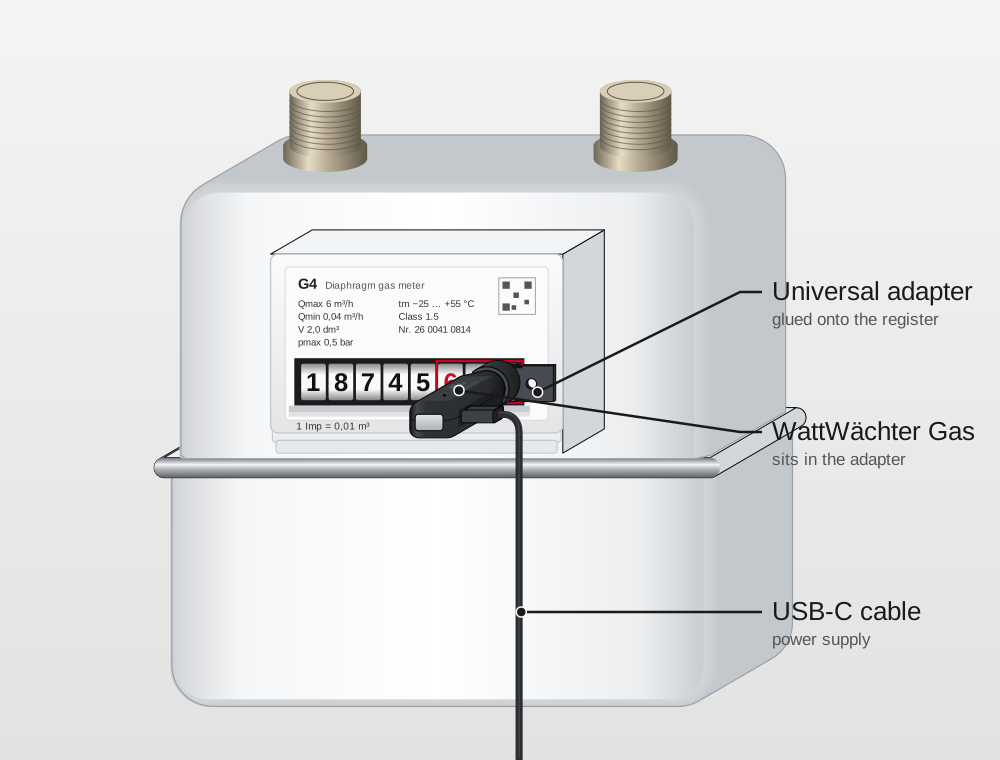
Connect the USB-C cable.
Do not rotate the sensor once the meter reading is entered
The sensor can be rotated in the ring — that is normal. Once you have entered the meter reading, do not rotate it any more — otherwise the reading is off afterwards and you have to correct it.
Check whether the sensor sits correctly during setup in step 6.