Meter preparation
Before you set up the WattWächter Gas, take care of three things at the meter: Wi-Fi, power and the mounted adapter. Which variant you have or need is shown under Supported meters.
1. Wi-Fi at the meter
The WattWächter Gas needs a 2.4 GHz Wi-Fi at the meter — it cannot see 5 GHz networks. Gas meters are often in the basement or in a cabinet, so check with your phone right at the meter whether your Wi-Fi reaches it. If the signal is weak, a Wi-Fi repeater nearby helps.
2. Power at the meter
The WattWächter Gas is powered via USB-C. Plan for a USB-C power supply at a socket near the meter — or a free USB-C port.
3. Mounting the adapter
The adapters come with your WattWächter: the universal adapter with both variants, plus the BK adapter with the Magnetic Field (GW-MF) and the Itron adapter with the Inductive (GW-ID). So you do not need to order anything extra; just pick the guide that matches your meter. Which one that is depends on what your meter has below the register:
-
BK adapter
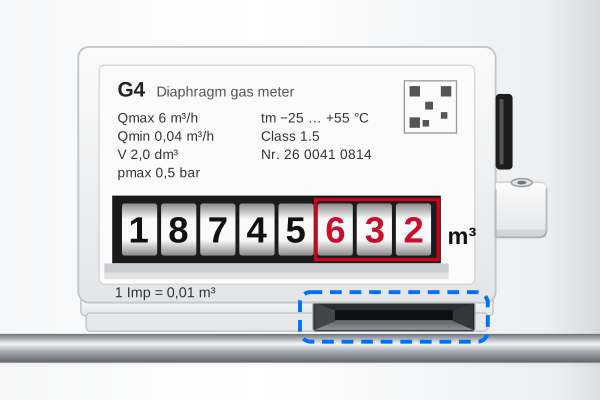
For meters with a flat slot below the register and a lug to the right of it. E.g. Elster/Honeywell BK, Pipersberg BK, GMT BK, each from BK-G4 upwards.
Magnetic Field (GW-MF) · screwed on
-
Universal adapter (screwed)
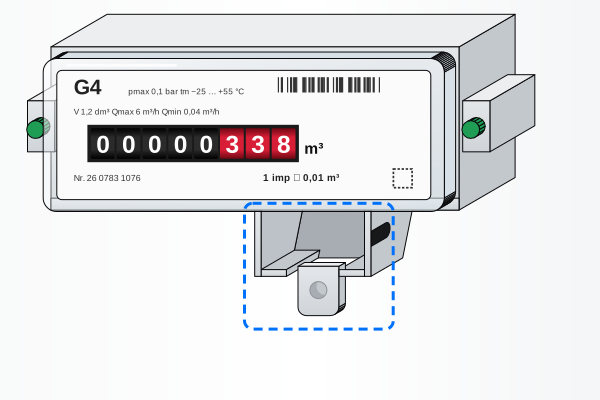
For meters with a pocket below the window and a lug with a hole below it. E.g. Pietro Fiorentini RS/2001, SamGas, Heitland.
Magnetic Field (GW-MF) · screwed on
-
Universal adapter (glued)
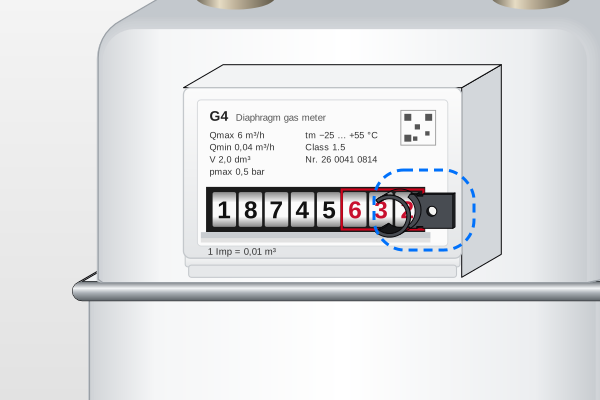
For all other gas meters: the universal adapter is glued on next to the last number roll. This works on nearly all gas meters — with both variants.
Magnetic Field (GW-MF) or Inductive (GW-ID) · glued on
-
Itron adapter
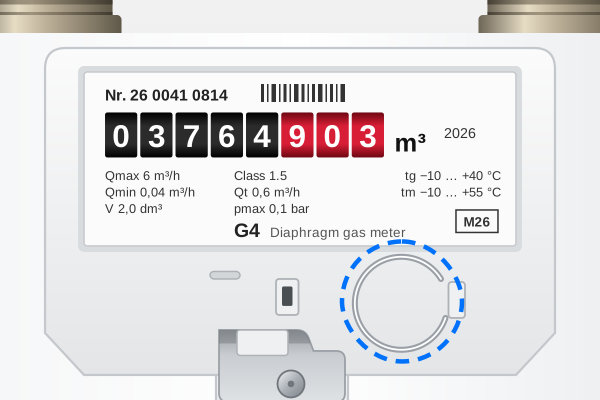
For meters with a round mount below the window. E.g. Itron/Pipersberg G4 RF1 c, Pipersberg BK-G4 Ac/AcT.
Inductive (GW-ID) · screwed on
Do you know the model of your meter? Then you will also find the right adapter in the list under Supported meters.
Check whether the sensor sits correctly during setup in step 6 — ideally before fixing it for good.