Mounting with the BK adapter
This guide applies to the WattWächter Gas – Magnetic Field (GW-MF) on a diaphragm gas meter with an interface below the register — the recess shown under Supported meters. The BK adapter holds the sensor there.
For other meters see Meter preparation.
What you need
- WattWächter Gas – Magnetic Field
- BK adapter
- Screw and nut
- Phillips screwdriver
BK adapter, screw and nut come with the WattWächter Gas – Magnetic Field.
Guide for printing
The same steps are available as an illustrated guide without text for printing: Mounting guide as PDF.
Step by step
First the adapter goes on the meter, then you click the sensor in.
-
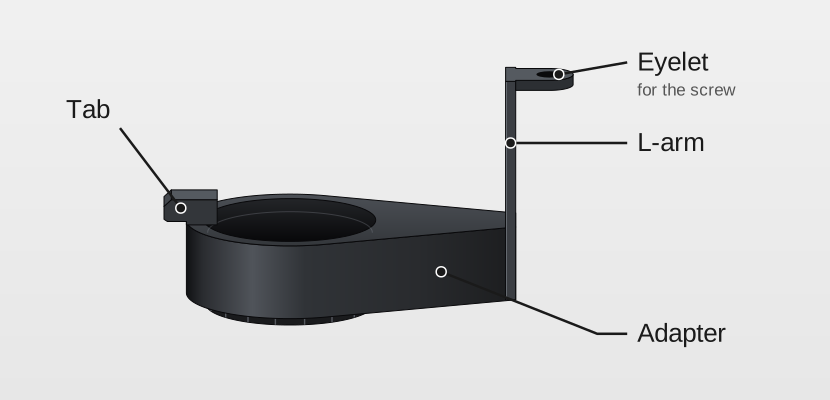
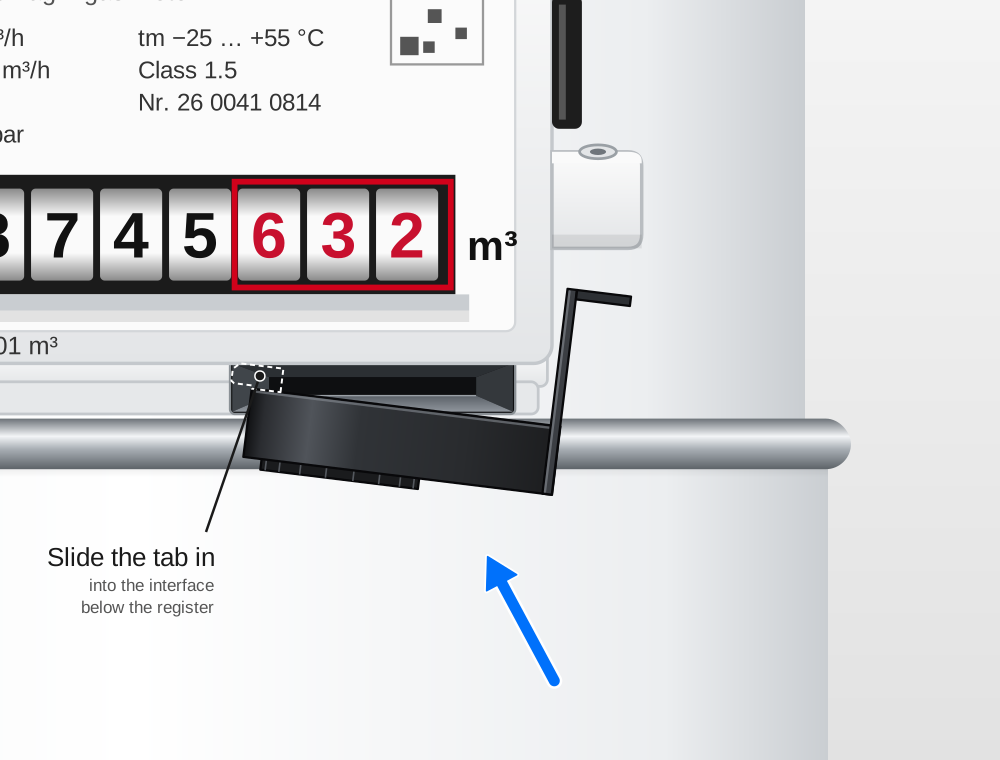
Slide the tab in. Bring the adapter up to the register from below and slide the small tab into the interface. It disappears completely into the meter and can no longer be seen afterwards — the drawing shows it as a dashed outline.
-
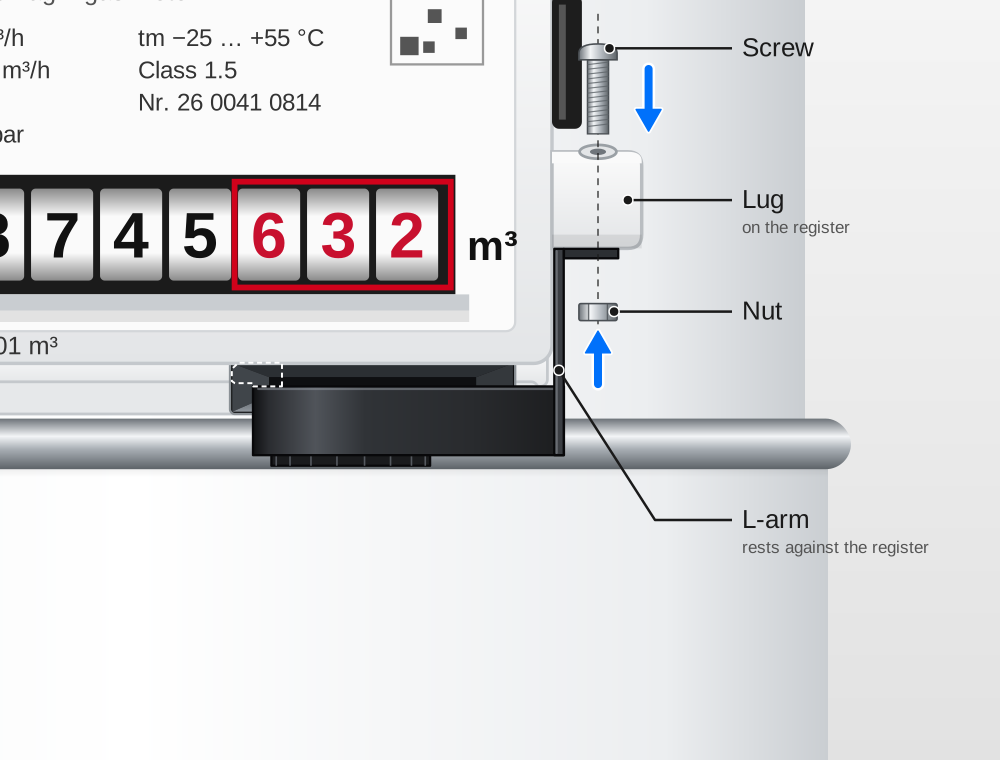
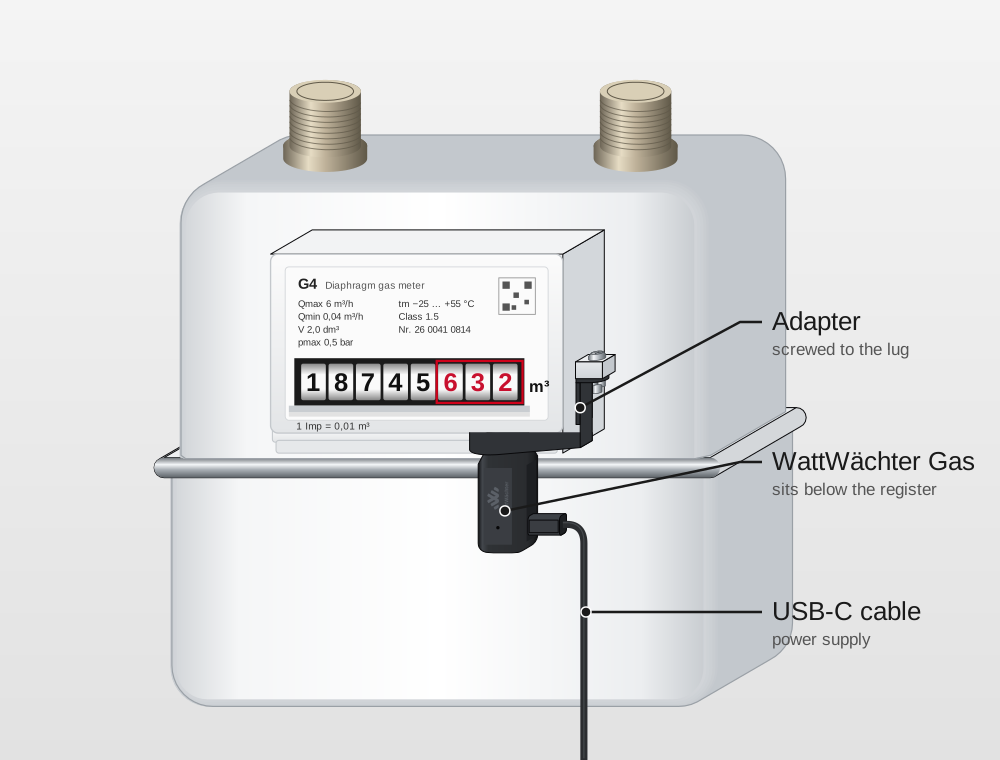
Position the L-arm and screw it down. Rest the longer L-arm against the right side of the register and fix it with the screw and nut.
-
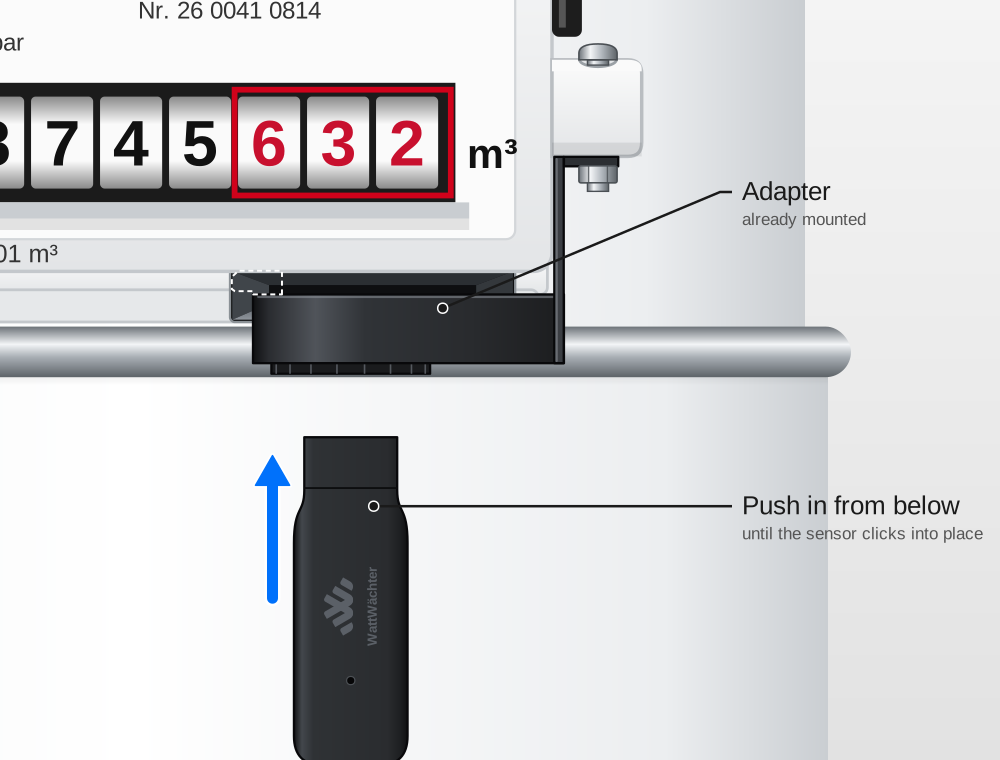
Click the sensor in. Push the sensor, sensor head facing up, into the ring of the adapter from below until it clicks into place. It can still be rotated in the adapter afterwards — that is normal.
-
Connect the USB-C cable. The sensor now sits below the register.
Do not rotate the sensor once the meter reading is entered
The sensor can be rotated in the adapter — that is normal. Once you have entered the meter reading, do not rotate it any more — otherwise the reading is off afterwards and you have to correct it.
Check whether the sensor sits correctly during setup in step 6.